
Processes - PIN Reset
Index

You can find the process description, quick guides, forms and other documents at Class B - Forms and documents library.
PIN rules
- The document «PIN Regeln für Smartcards» for smart cards contains the stricter PIN rules for the Gemalto IDPrime MD930 smart card.
- We also recommend using these new PIN rules for the MD830 smart card.
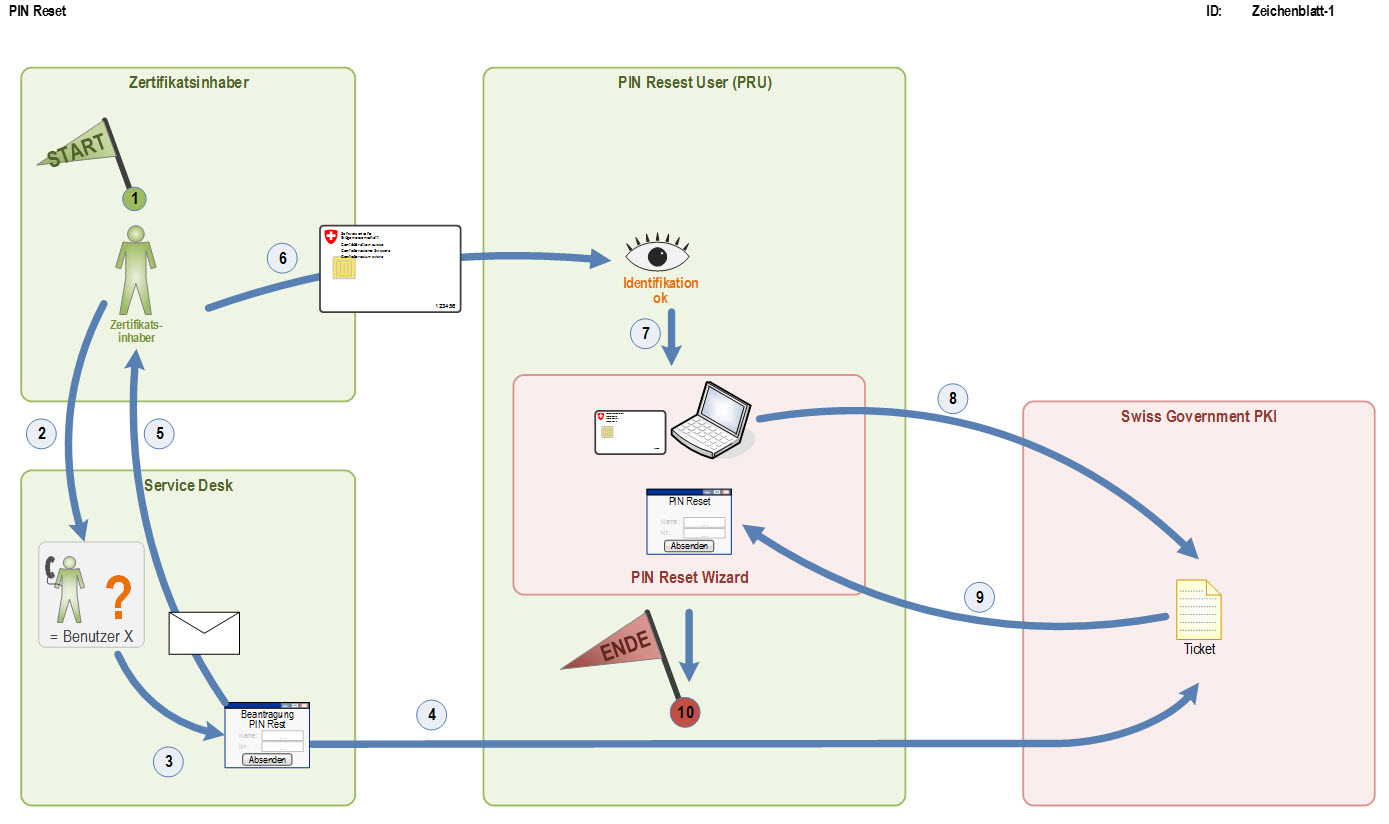
The Service Desk/Helpdesk staff member uses the registered "magic questions" to run a plausibility check on the caller. If the plausibility check is satisfactory, the Service Desk/Helpdesk staff member creates an eTicket in the Swiss Government PKI web application. Once the PIN reset ticket has been created, the certificate owner/end user must find a workstation which has two card readers.
One user must already be logged on at this workstation, so that they can act as PRU (PIN reset user). The PRU launches the PIN Reset Wizard and logs on with their valid class B certificate. The certificate owner/end user then inserts their blocked smart card into the empty card reader. The PIN Reset Wizard reads the smart card's serial number and searches for a ticket matching this serial number in the central PKI system.
In the next step, the PRU must reliably identify the certificate owner/end user. In other words, the PRU either knows the certificate owner/end user personally or must identify them by means of a valid ID. The PRU must confirm the successful identification in the wizard. The central PKI components then send the wizard an encrypted version of the card PUK, and the certificate owner is prompted to enter their new PIN twice. With this information and the PUK, the wizard then performs a PIN reset on the card.